SMS capture
Last updated: May 5, 2026
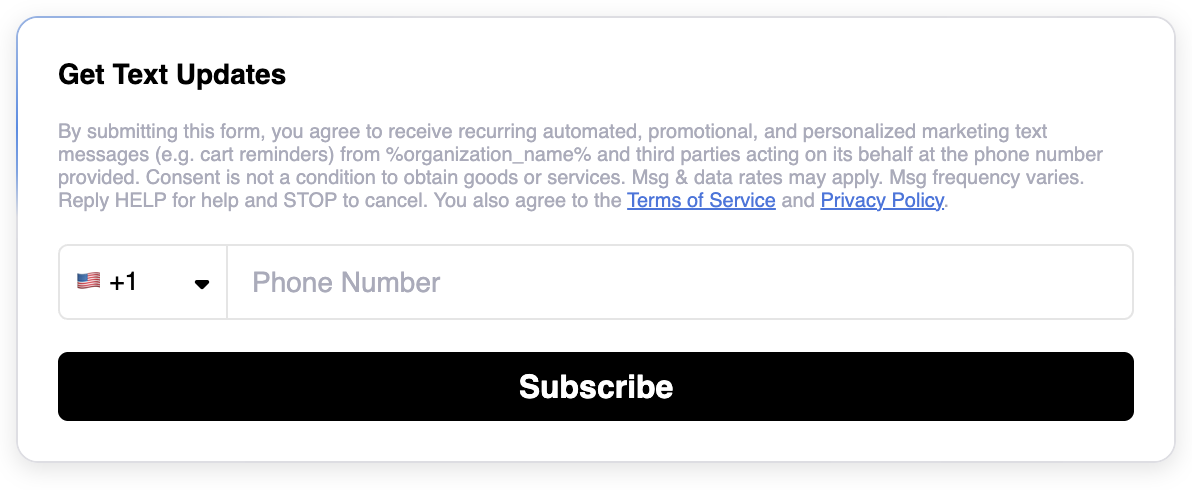
The SMS block replaces the need to push customers to an online SMS capture form, instead allowing them to subscribe to your mailing lists directly in-email.
For examples and best practices, see here: 📄 SMS capture: best practices
Supported vendors
Zaymo currently supports the following review providers:
Klaviyo SMS
Postscript
Attentive
Settings unique to the SMS block
Default [List] | This setting is accessible through the integrations page. This setting allows you to determine what list to add new SMS subscribers to within your SMS platform. e.g.,
|
Country Code(s) | Determine which country codes appear in the dropdown |
FAQ
Can I show/hide the SMS Capture block based on subscriber status?
The SMS block will show to every user even if they are already subscribed.
The current best way to overcome this is to use display logic to show/hide the content based on subscriber status.
When I test the SMS block, my phone number is not being added to a list. What's wrong?
This usually has to do with the testing settings. Common reasons are:
Reason #1: Testing with a test profile
If you test the SMS block in the Zaymo previewer or with a Zaymo test email and use the default test profile, the form will not connect to a real profile. The demo profile is to test the experience but does not connect to any real data.
To fix this, use the Preview Data Source on the right panel of Zaymo's previewer to select a real profile to test with.
Reason #2: Test profile is already subscribed
If you test with a profile that is already subscribed, the SMS provider will not restart the SMS sign-up flow. If this is the case, you will not receive the double opt-in text from the SMS provider when you submit your number.