Forms & quizzes: best practices
Last updated: November 5, 2026
Goal: Gather zero-party data to segment your audience and give tailored offerings, or improve engagement with gamification
Block: Forms
Why forms?
Forms allow you to capture data about your customers, tailored to your brand and their experience with your products. Responses to each question are added to each individual's profile as an attribute, which you can use to build segments and send more tailored messaging, offers, etc.
What you'll be building:
The Forms workflow differs substantially from other blocks. Please read carefully.
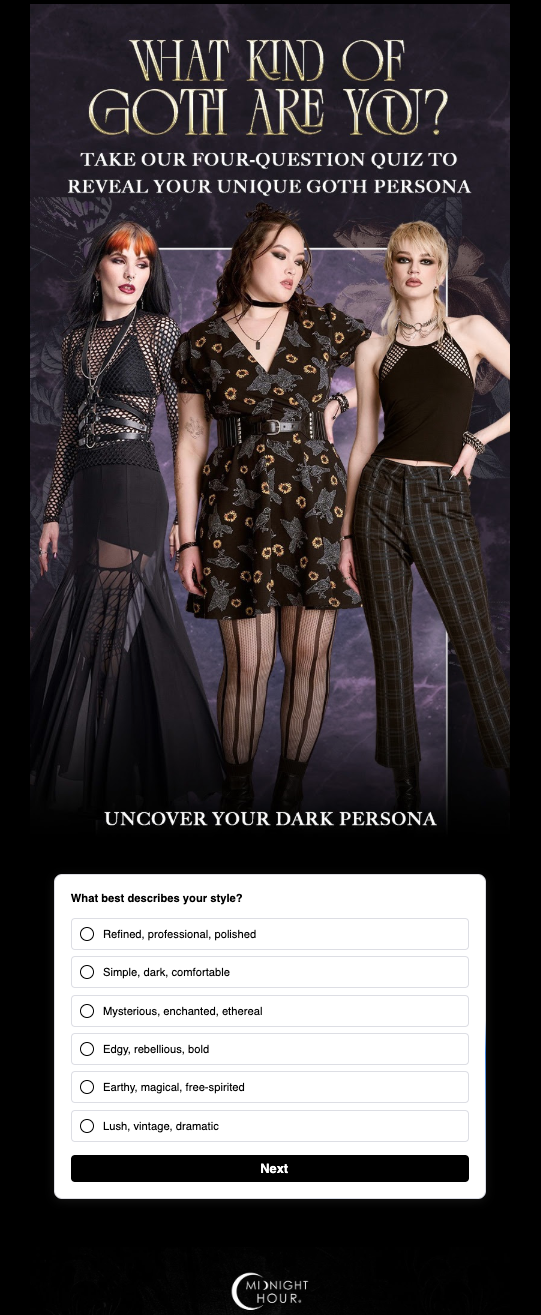
Implementation guide
Step 1: Build form inside of Zaymo
Forms > Create new form
Create your questions and endings; edit logic
Click Publish form on the top right corner
Step 2: Build your interactive email in Zaymo
Open the flow or campaign in Zaymo and click Convert with Zaymo. In a flow, click the email you want to make interactive first.
Add the Zaymo form block
Edit the branding to help the Form block match the email
Step 4: Check it and send it to Klaviyo
Zaymo syncs your changes to Klaviyo on its own, about 10 seconds after you stop editing. You'll see a small "Syncing" note while changes are saving, and it goes away once they're in Klaviyo.
In a flow, click the three dots on the email's card and choose Preview to check it. To send yourself a test, click the card to open the email's details panel and click Send test.
Step 5: Set the email live
If you converted the email from a flow or campaign, it's already there. Set it live when you're ready, and get ready for a flood of responses!
Measure results
To measure results, you only need to look at Zaymo's form events. Unlike other blocks, the Forms block affects both the fallback and the interactive version should send form responses to Zaymo.
Zaymo Form Response - Individual Question | Every time a question is answered, this action is fired to Zaymo's analytics & Klaviyo's metrics |
Zaymo Form Response - Completed Form | Every time all questions in a form are completed, this action is fired to Zaymo's analytics & Klaviyo's metrics |
Examples & best practices
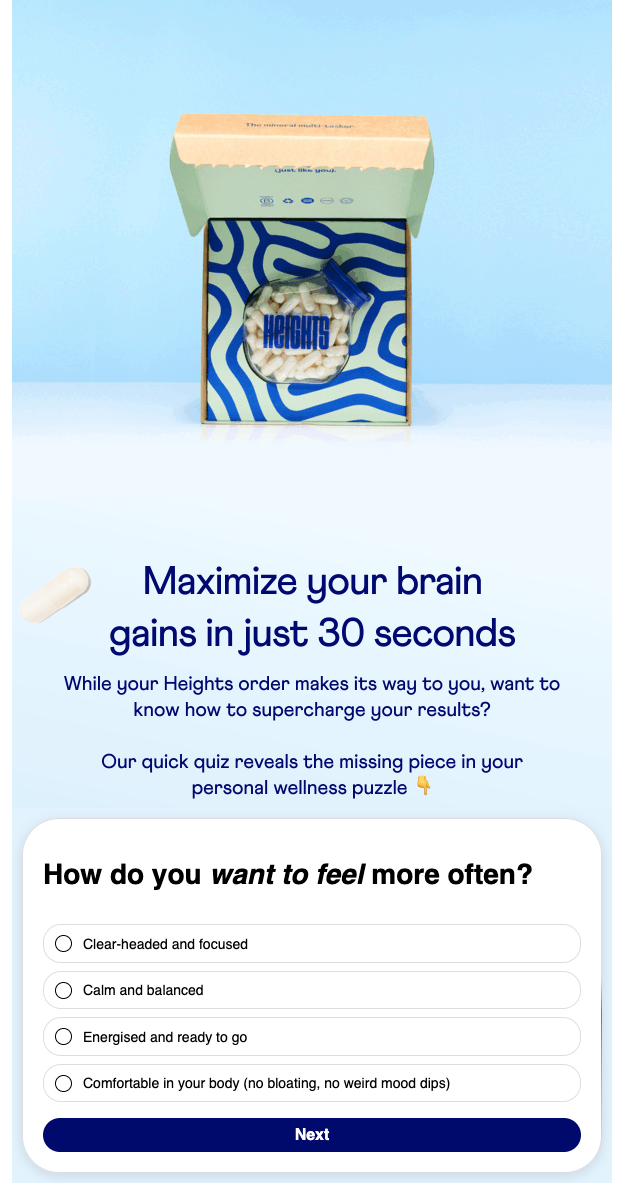 | Keep quizzes as short as possible. Limit the number of questions to only essential information Ask the most important questions first. Partial responses will still be captured and sent to Klaviyo |