SMS capture: best practices
Last updated: March 11, 2026
Goal: Increase sign-ups for SMS list
Block: SMS capture
Why in-email SMS sign-ups?
The SMS capture block typically lifts attributed SMS sign-ups ~50%.
While it can be used in an SMS-focused campaign, it can also be used as a secondary action in just about any email sent.
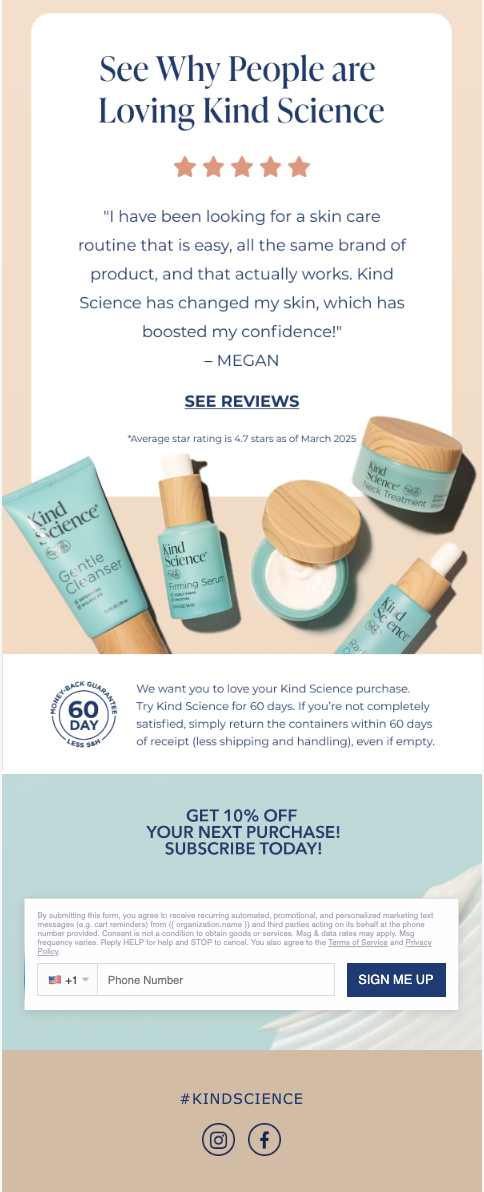
What you'll be building:
Interactive Version | Fallback Version |
 |  |
Implementation guide
Create your non-interactive template in Klaviyo
This template will be used as a fallback for customers who aren't able to view interactive emails
Build in Zaymo
Import your template from Klaviyo into Zaymo
Add the Zaymo block(s) into the email
Delete any repetitive or non-applicable elements
For example, you'll want to delete any CTAs which redirect to an external SMS signup page
Customize the block to match your brand
The SMS block has fewer customization capabilities due to legal restrictions
Export back to Klaviyo
Click on "Preview / Export"
In the previewer, view the email and ensure that it looks as expected on desktop vs mobile, and Apple vs Gmail. You can also send yourself test emails to review
Once you're satisfied with the appearance, export the template to Klaviyo
Add your new template into the flow or campaign
Examples & best practices
Annotated example
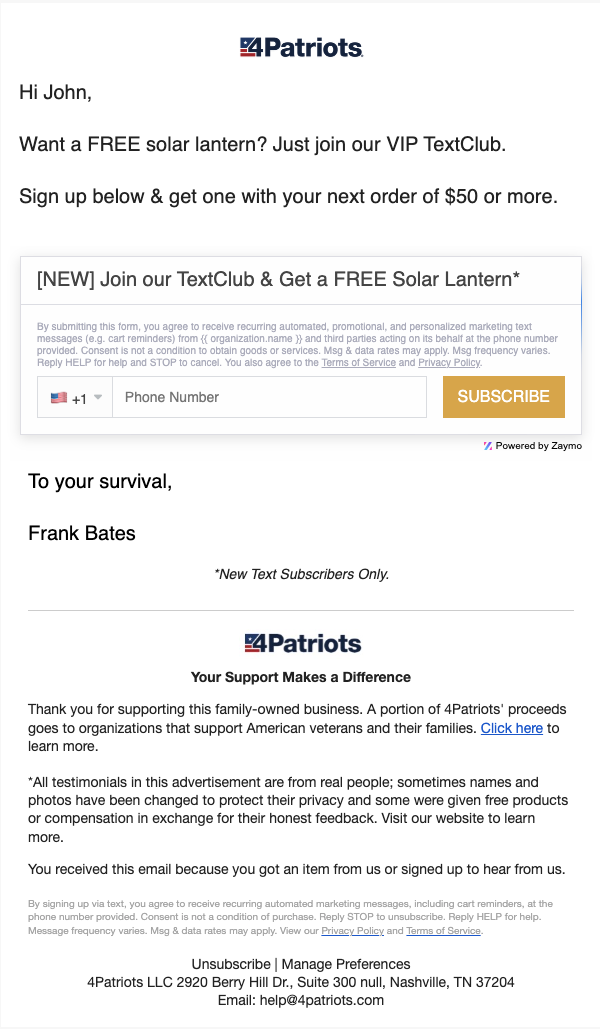 | The SMS block is frequently paired with a discount code, which can be triggered in your SMS provider; profiles are added to a list upon successful SMS capture |