What customers see when they edit a bundle
Last updated: November 5, 2026
The basics
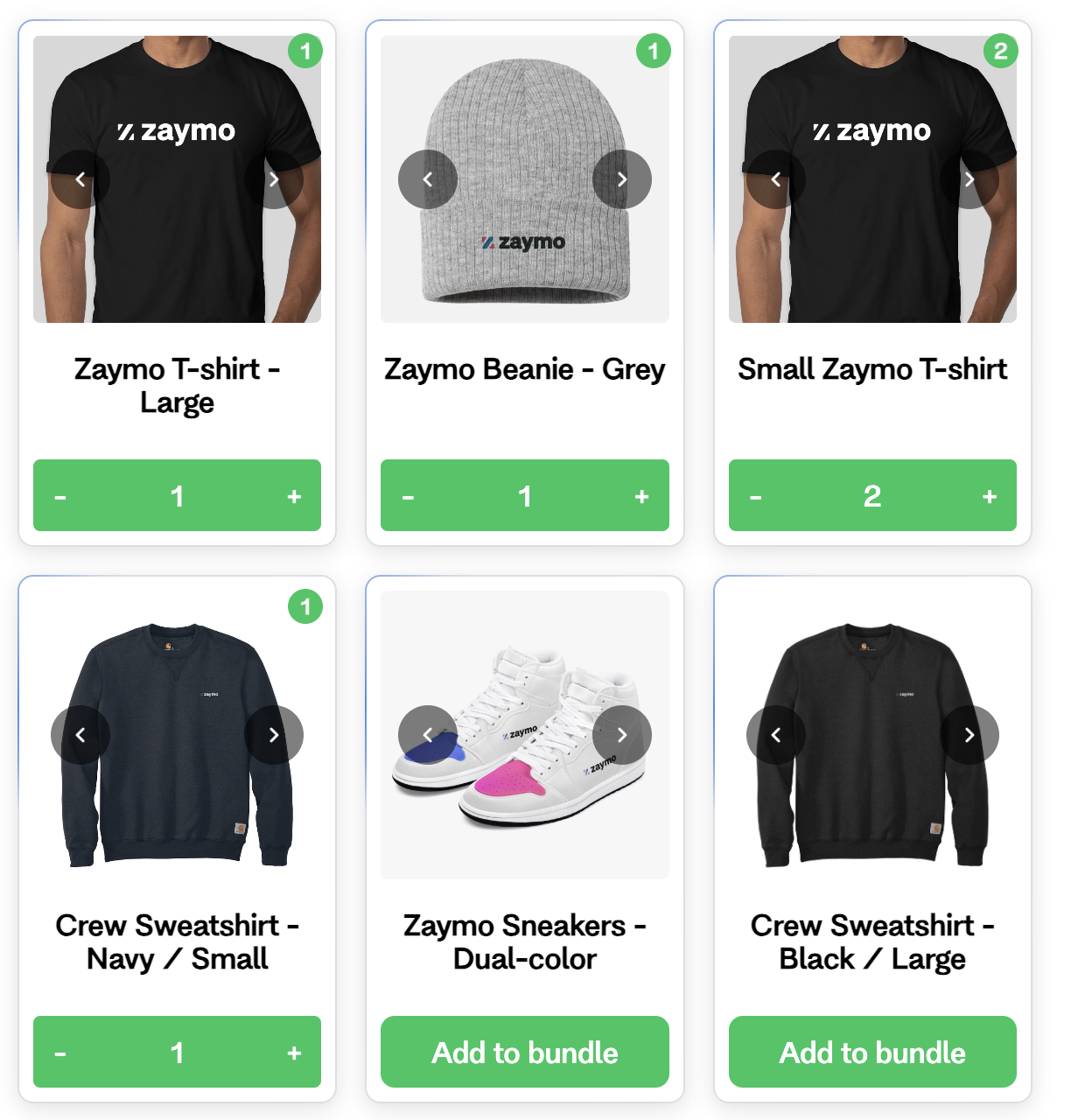
The customer's items come first, with their quantities filled in.
Each item has − and + buttons. New items show Add to bundle.
A counter shows how full the bundle is, like 18 / 24 selected.
Most Skio boxes with a spend limit show it in the email. The save always checks it.
Save changes turns on once the item count fits. Until then, the counter is red.
A line says "Changes apply to every future order." or "Changes apply to your next order." On Recharge, the wording follows a setting on your bundle. Zaymo doesn't offer this as a choice. Skio boxes always show every future order.
After saving, Gmail and the full bundle page show ✓ Bundle updated. In Apple Mail, a new page opens to confirm.
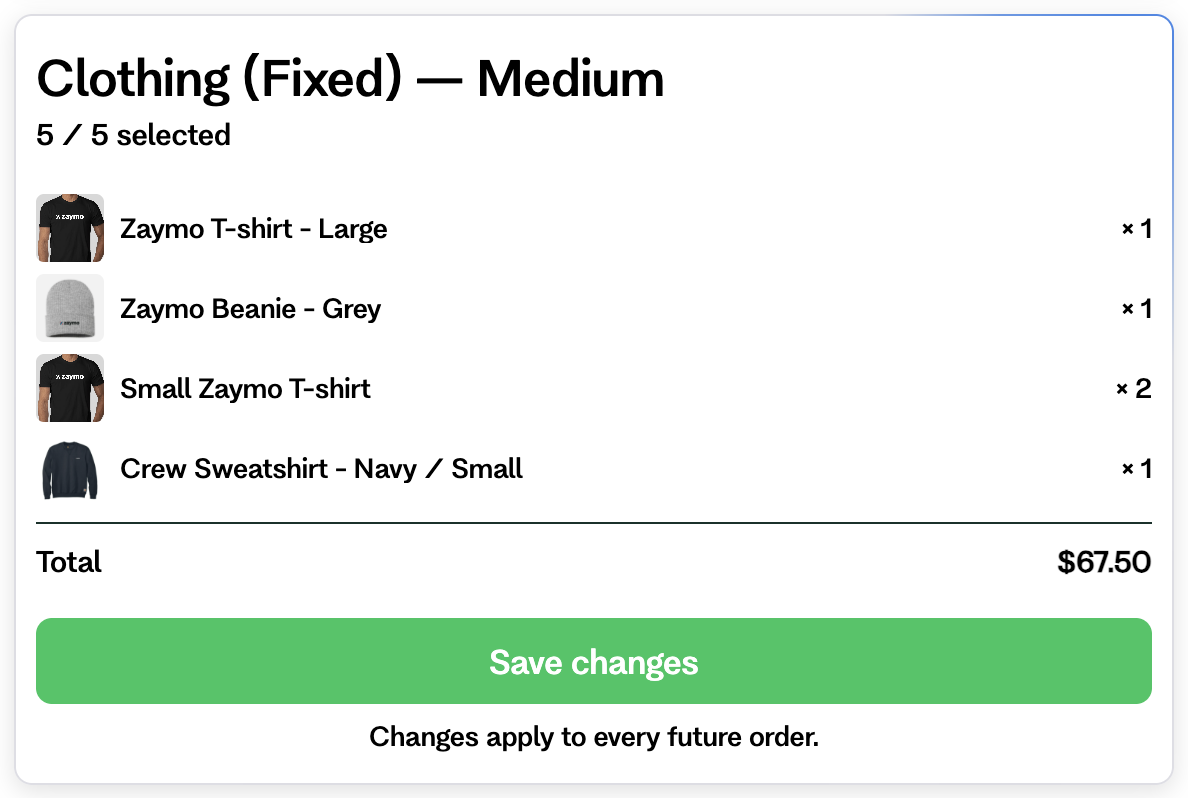
Tabs and presets can also appear above the items.
Out-of-stock items
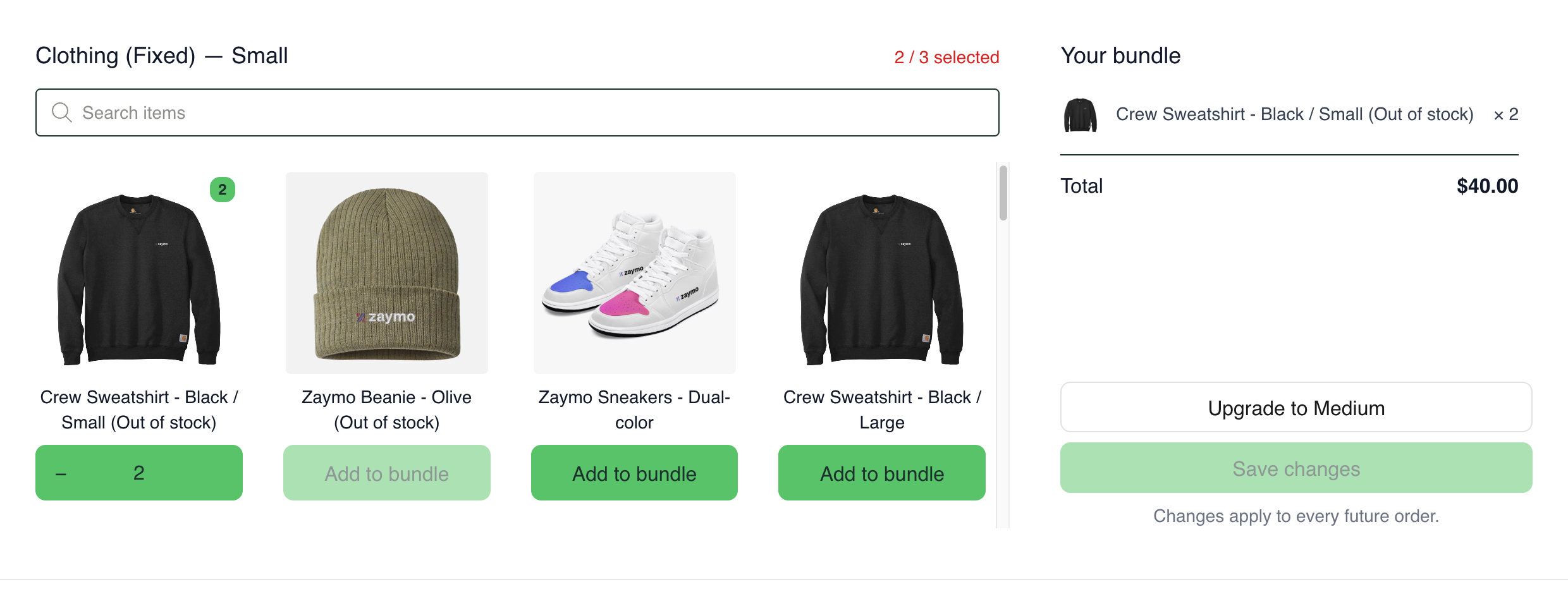
A sold-out item says (Out of stock) and can't be added.
If it's already in the bundle, the customer can lower or remove it.
Sold-out items not in the bundle are listed last.
Email limits
Limit | In the email | On the full bundle page |
|---|---|---|
Items shown | Up to 60 | Up to 250 items |
Quantity of one item | Up to 9 | Your bundle's limit |
Group limits | Checked when saving | Hints as they go |
Items that don't fit in the email stay in the bundle when the customer saves.
The full bundle page
This page opens in the customer's browser. They reach it from View full catalog, Edit your bundle or the bundle picture in other email apps.
It adds:
Search.
A counter and Save bar that stay on screen.
Hints that explain limits, like Up to 2 from this group.
Quantities above 9.
Good to know: View full catalog keeps the changes the customer made in the email, even before saving.
Changing how often it ships
This is for Recharge. Turn on Allow users to switch selling plans. Customers then get a How often dropdown.
It shows only when the bundle has more than one schedule.
Each schedule shows its price.
Prepaid bundles don't get the dropdown.
If the save fails, Zaymo puts the schedule back.
With the setting off, customers who have the bundle only get the dropdown on pick-any bundles in a block set to a specific bundle.
When a save is refused
Every save is checked against your bundle's rules. If something is wrong, nothing changes and the customer sees a message.
What happened | What the customer sees |
|---|---|
The bundle changed somewhere else after the email opened | "Your bundle changed since this email was opened. Open it again to edit the latest version." In Apple Mail, the full bundle page opens instead. |
Too many from one group | "You've picked more than your bundle allows from one of its groups…" |
Too many of one item | "You've picked more of one item than your bundle allows…" |
An item is no longer offered | "One of the items you added isn't available in your bundle anymore…" |
An item just sold out | "One of the items you added just sold out…" |
Skio can't add an item to a fixed-price box | "That selection doesn't fit your bundle…" |
The bundle can't be found | "We couldn't find a bundle to update. Please manage it from your account." |
Good to know: Tapping Save twice doesn't change the bundle twice.