Prices, discounts and totals
Last updated: November 7, 2026
What prices customers see
Bundle type | Item prices | Total |
|---|---|---|
Fixed-price | None. The items don't change the price. | The bundle's price |
Pick-any | Usually each item's subscription price. If the customer can choose a schedule, prices show in the summary instead. | The items shown added up, minus discounts |
For a customer who has the bundle, a fixed-price total starts from their current price, including an older price.
Buying once on Recharge. When a customer buys a pick-any bundle once with their saved card, each item shows the price Recharge will charge. This includes an item's own one-time discount in Recharge. Customers who go to checkout see your store prices.
The summary
Subtotal is the bundle before discounts.
Discounts shows when a discount applies, with the total saved.
Total is the bundle after these discounts, before tax and shipping.
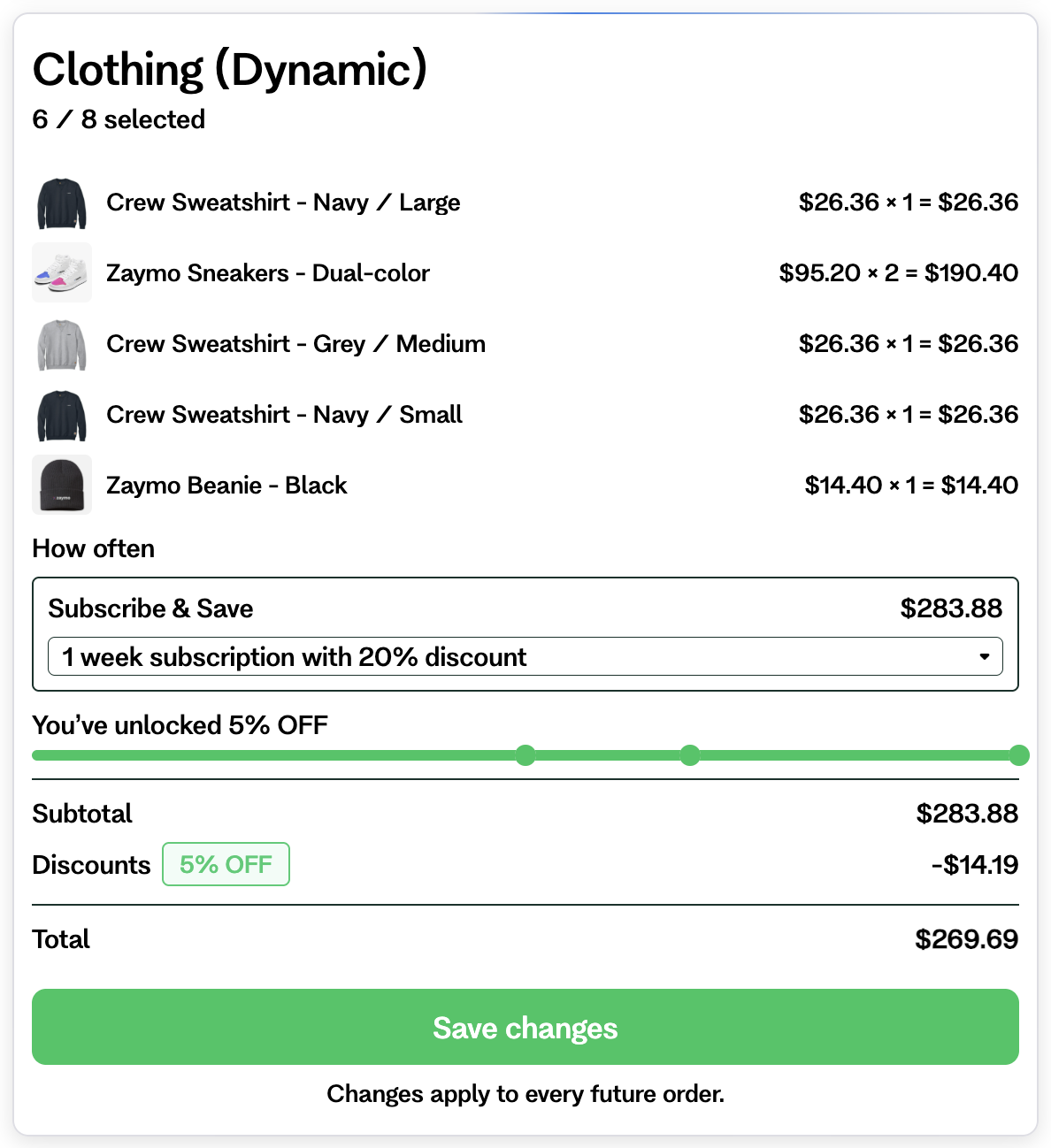
Buy more, save more
Zaymo reads these discounts from pick-any bundles in Recharge and Skio. There is nothing to set up.
A progress bar shows how close the customer is to the next discount.
The total includes the discount they've reached.
Spend limits on Skio
Some Skio boxes have a minimum or maximum spend. The block shows the limit, and the customer can't save until the box fits. These boxes can't be bought from an email.
Discount codes
You can add one discount code to the block.
Codes with a minimum spend can't be used.
Tiered codes can't be used. Use "buy more, save more" in your subscription app instead.
When a customer saves, the code is added even if they changed nothing. On Recharge, it replaces any other code. On Skio, a customer who already has a different code keeps it, and the block's code isn't added. If it can't be added, the bundle still saves.
On Recharge, the code goes on the customer's address. It applies to every subscription at that address.
When a customer buys, an existing discount on their account is never replaced.
At checkout, the code goes with them.
To give a discount only with an upgrade, see Offer a bundle upgrade.