Win back cancelled bundles
Last updated: November 19, 2026
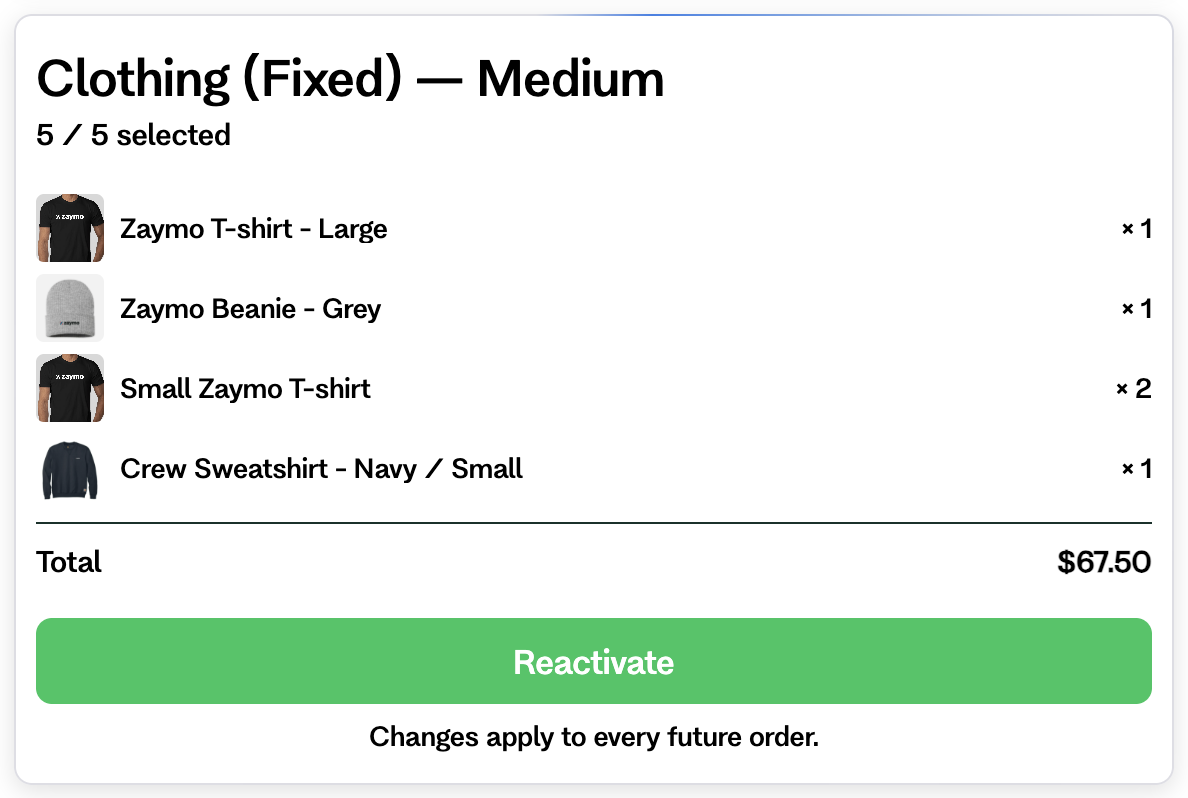
The Bundle Builder can bring back a cancelled bundle. The customer chooses the items and taps Reactivate. Their subscription then restarts with those items.
Two ways to set it up
Bundle setting | Who gets it |
|---|---|
The recipient's most recent cancelled bundle | Customers with a cancelled bundle that can come back. Others don't see the block. |
A specific bundle | Customers who cancelled that bundle, or that size, and don't have an active one. |
What the customer sees
Their old bundle with their old items.
Items that are gone or sold out are removed. They may need to add items before saving.
A Reactivate button.
After saving, a message says the bundle is active again.
What happens next
Zaymo checks the bundle first. If something is wrong, nothing changes.
The subscription restarts, and the next order is set for tomorrow.
The new items are saved.
If a step fails after the restart, the subscription is cancelled again. If that also fails, Zaymo reports it for repair.
Things to know
If the block has a discount, on Recharge its code replaces the old one. On Skio, a customer who already has a different code keeps it, and the block's code isn't added.
If the block has Free gift rules, customers can earn gifts when they bring the bundle back. Gifts still waiting to ship aren't given again. Learn more
On Recharge, customers can pick a new schedule on a pick-any bundle set to a specific bundle. For other blocks, turn on Allow users to switch selling plans.
On Skio, a box can come back only if its subscription holds nothing else. Learn more
If an email is older than this feature, open it in the editor and make an edit to turn this on. It syncs to Klaviyo about 10 seconds later.