How do Zaymo blocks affect email size?
Last updated: July 3, 2026
Zaymo only allows you to export the email if the AMP MIME part is less than 200 KB. If an AMP MIME part has more than 200 KB of data, Gmail will discard the interactive version of the email and instead show the fallback rendering the interactive portion useless. Zaymo recommends staying under 180KB to leave about 20KB for Klaviyo tags.
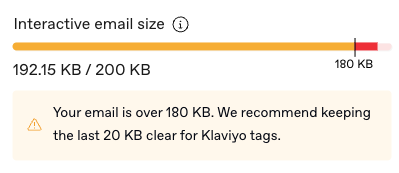
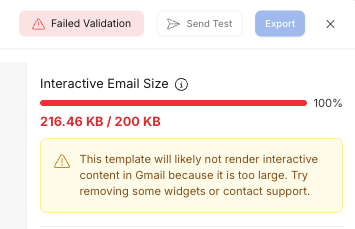
How can I reduce email size?
It depends on what is the primary cause of email size. Below are some examples.
#1 cause: Product grid
The primary cause of a large email is the product grid block or subscription portal. The subscription portal is included only because it contains a product grid block.
Tips for reducing the size of the product grid
Change source to dynamic - The incremental size of each statically chosen product block is roughly the size of an entire product grid that is populated dynamically
Delete images in the carousel - Having several images in the product carousel adds more size than you would think. Sometimes, deleting images in the carousel can be the biggest lever you can pull
Recreate the product grid block - If you’re experiencing size limit errors, older versions of the product grid block are larger in size. Delete the existing product grid and drag in a new one to use the latest version with larger limits.
Other causes
Other common causes:
Several blocks in one email - The size of multiple interactive blocks in one email can add up. Try reducing the number of actions available in the email
Swap up options - The swap up block grows in size with the number of scenarios built into it. If you have dozens or hundreds of scenarios in one swap up block, Zaymo may not be able to support the size
If you cannot find a clean workaround, message Zaymo support. We may be able to pull some engineering strings to custom-build your email in a more efficient way.