Subscription winback / reactivation: best practices
Last updated: July 29, 2026
Goal: Reactivate past subscribers in-email
Block: Reactivate
Why the winback email?
Using Zaymo's reactivate block typically lifts attributed reactivation by ~40%.
Brands that use the block most effectively often use it both for:
Ongoing, automated flows post cancellation
Regular campaigns sent to all cancelled subscribers asking them to come back
What you'll be building
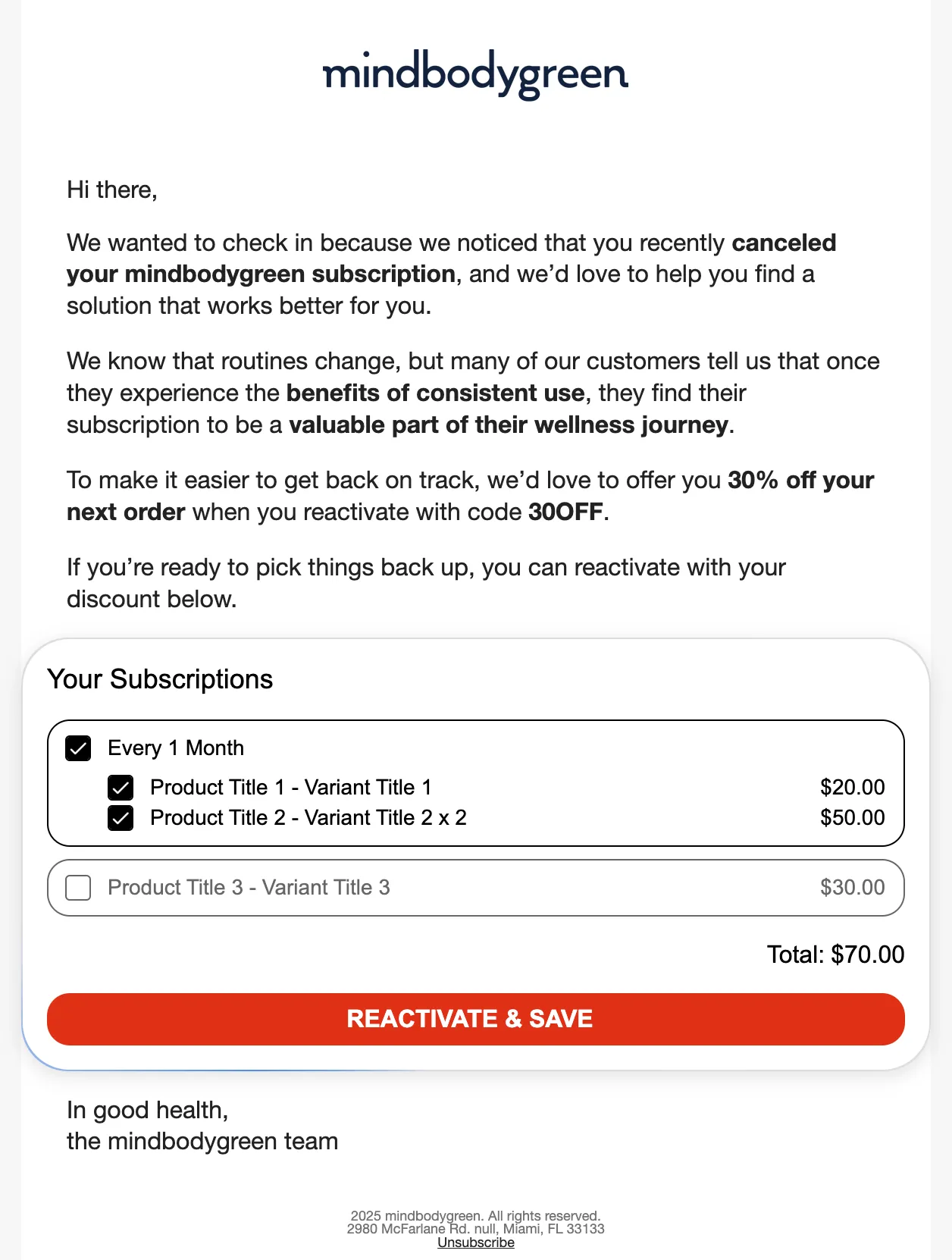
Implementation guide
Create your base template in Klaviyo leaving space for Zaymo blocks
Import Klaviyo template into Zaymo
Drag the Reactivate block into the email
Preview and export to Klaviyo
Advanced reactivate block configuration & testing
Critical block settings for better user experience
Double confirmation setting
If you are concerned that customers may accidentally reactivate their subscription, enable "Double Confirmation" on the reactivate block. This adds a confirmation step before processing the reactivation. However, note that only 2% of Zaymo customers use this feature, as it reduces conversions while the complaint rate without double confirmation is less than 0.1%. Most brands find the conversion lift from one-click reactivation outweighs the minimal support ticket volume from accidental reactivations.
Multiple subscriptions display
Set “Max Subscriptions Shown” to display up to 3 recently cancelled subscriptions (sorted by most recently cancelled first). This prevents overwhelming customers who may have cancelled multiple subscriptions while still giving them relevant options.
Testing best practices
Real-time updates
Changes made through the interactive email are immediately reflected in your subscription provider, so customers can log into their portal right after taking action to see updates. This immediate sync should be verified during testing.
Block customization & styling
When customizing the block to match your brand, note that the Reactivate block is centered by default and does not currently support left alignment.
The Reactivate block displays subscription names using product names from your Shopify store, but subscription frequency labels (e.g., “bi‑monthly”) are auto‑generated by Zaymo and cannot currently be customized. Only cancelled subscriptions will appear in the Reactivate block—customers with active subscriptions will not see the Reactivate block.
Handling discontinued products
When a significant portion of past subscriptions were for products that no longer exist, using a Product Block with “Create new subscription” purchase action is more effective than the standard Reactivate widget. This approach allows you to guide customers toward current product offerings rather than attempting to reactivate unavailable items.
Discount strategy
A generous discount is typically necessary to incentivize reactivations. For Recharge users, discount codes need to exist both in Recharge and in Shopify. When adding a discount offer to the Reactivate block, pre‑apply the discount in the Reactivate block settings to ensure it's automatically applied when customers reactivate.
Examples & best practices
Need ideas?
Interactive examples of the reactivate block
Annotated examples
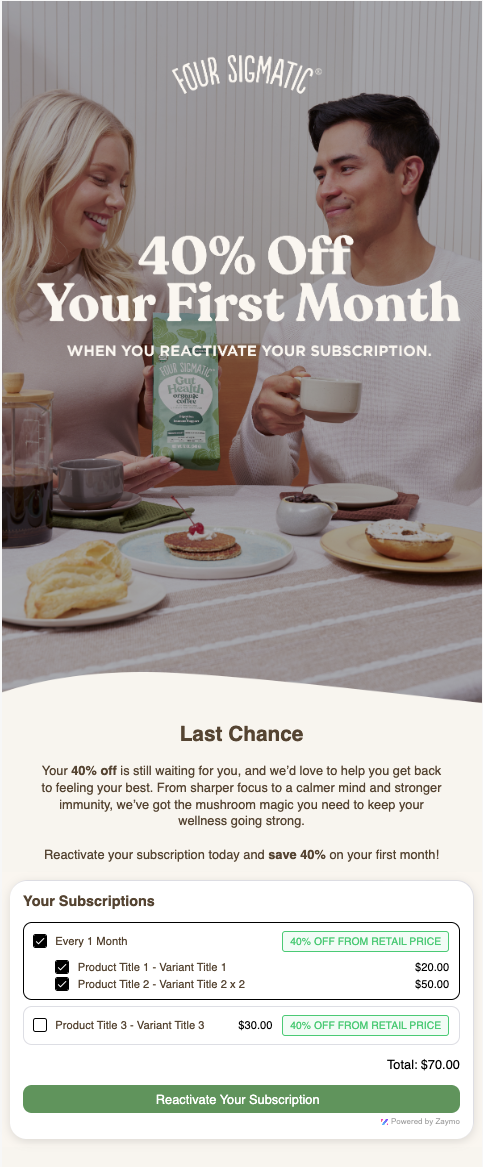 | A generous discount is typically necessary to win back churned customers and can be pre-applied to the reactivate block Allowing 'partial reactivations' will increase uptake on your reactivate emails |
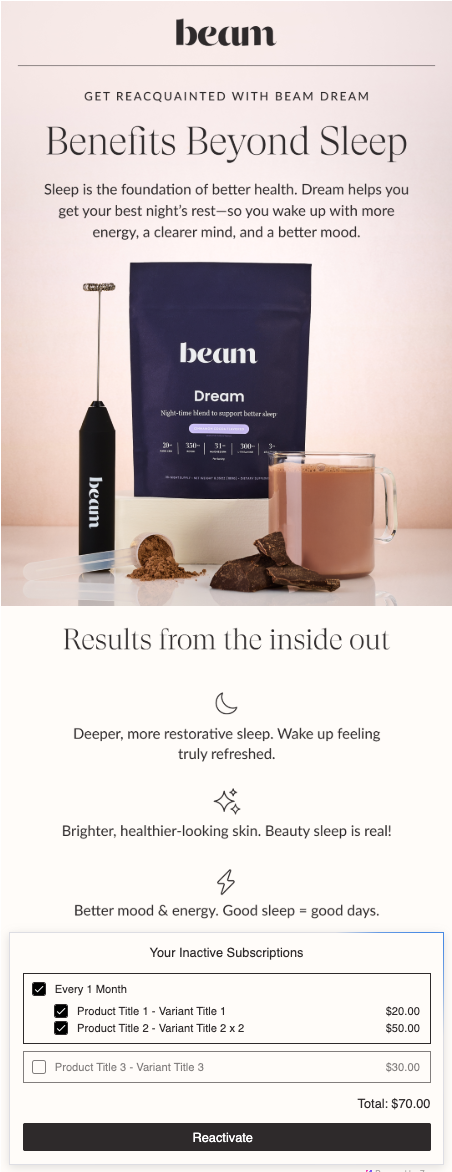 | The reactivate block should typically be your first and only CTA in winback emails |
Recommendations for flow setup
We recommend a flow that regularly emails churned customers for the first few months post-churn. Typically, we recommend sending a winback email on day 30, day 60, and day 90 after cancellation.
Trying to win back on the first day rarely works well. It's often best to just send a confirmation email without a winback offer so they know their order successfully cancelled.
Recommendations for campaign setup
At the end of the winback flow, push churned subscribers to a special list/segment. This segment can be used for seasonal reactivation campaigns. We have seen very successful one-off reactivation campaigns--especially when a brand has a significant list of churned subscribers.