Choose which bundle the block shows
Last updated: November 7, 2026
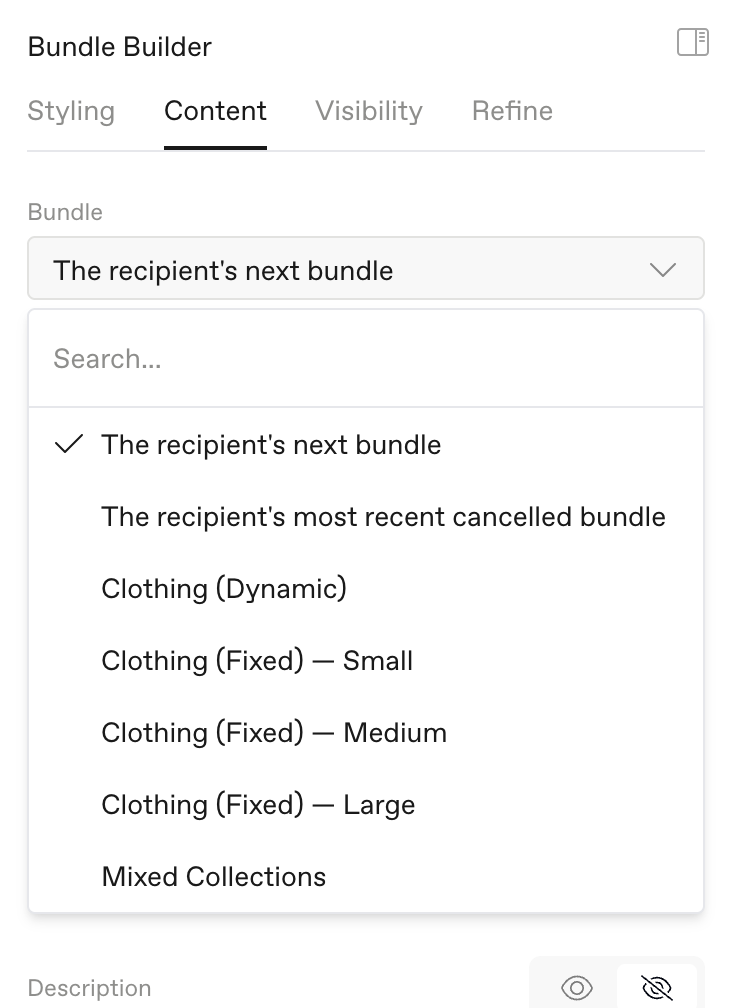
The Bundle setting decides what each customer sees.
Quick comparison
Bundle setting | Customer has it | Customer cancelled it | Customer never had it |
|---|---|---|---|
The recipient's next bundle | Edits it if the block finds it (see below) | Sees "No bundles in your subscriptions." | Sees "No bundles in your subscriptions." |
The recipient's most recent cancelled bundle | Block looks for an older cancelled bundle | Edits it and brings it back | Block is hidden |
A specific bundle | Edits it | Edits it and brings it back | Can buy it |
The recipient's next bundle
This is the default. On Recharge, the block shows the bundle in the customer's next order. If that order has two bundles, it shows the first one. On Skio, it shows their soonest box, even if it isn't on their next order.
Best for: reminder emails before an order ships.
The recipient's most recent cancelled bundle
The block shows the customer's last cancelled bundle with a Reactivate button. If there is nothing to bring back, the block is hidden. Some Skio subscriptions can't come back, so the block hides for those too.
Best for: win-back emails.
A specific bundle
Pick a bundle from the list. The block looks through all of the customer's subscriptions. It usually does one of three things:
They have it. They edit it.
They cancelled it. They edit it and bring it back. Some Skio subscriptions can't come back, so the customer may be offered a new box instead.
They never had it. They can buy it.
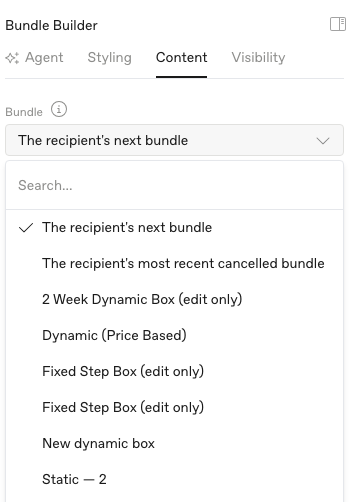
Edit only in the list means customers who have this bundle can edit it, but the block can't sell it. This applies to some Skio boxes.
Bundles with several sizes
Most sizes have their own place in the list. A block set to one size finds customers on that size, and customers who upgraded through that block. Customers with an active bundle in another size don't see the block.
Tip: To reach customers on every size, use The recipient's next bundle. It shows whichever bundle they have.
To sell every size, pick "(all sizes)". New customers choose their size from tiles. Customers who have any of those sizes edit their own. This is for Recharge fixed-price bundles. Learn more
When the block hides
Blocks set to a specific bundle or a cancelled bundle hide when there is nothing to show. This can happen when:
The customer has a different size.
The customer has a bundle that can't be edited.
The bundle can't be sold to them, for example a Recharge fixed-price bundle with no saved card.
Their bundle couldn't be loaded at that moment.
Other email apps show an empty space instead.