Cross-sell (flow or campaign): best practices
Last updated: July 10, 2026
Goal: Increase AOV with targeted offers
Blocks: Products block
Why cross-sell in the email?
Though every use case is slightly different, most brands see a 40% - 50% lift in attributed add-ons when using Zaymo.
Some example uses include:
Cross-selling complementary products (e.g., conditioner for shampoo subscribers)
Using product blocks / grids for new product launches
Pushing limited-time offers and seasonal sales
Adding a product block to the end screen of a form
Consider the Forms block as a strong complement to the cross-sell motion. For example, a wellness brand might ask about a customer’s health goals -- and at the end of the form, offer protein or creatine to those focused on building muscle.
What you'll be building:
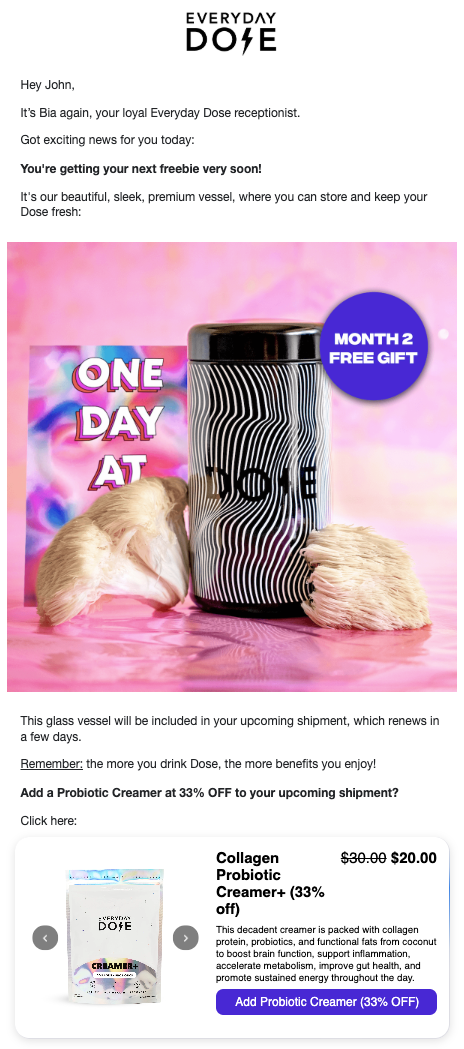
Implementation guide
To get the most out of Zaymo in promotional campaigns, make it a regular part of your campaign planning process and workflow.
Create your base template in Klaviyo, splitting sections allowing room for Zaymo's interactive blocks
Identify opportunities throughout your customer journeys
Zaymo is built to work across flows and campaigns, with a focus on re‑engaging current and past subscribers since they can complete actions 100% in-email
Purchase actions do not need to be attached to an upcoming order email; one-time upsells will be added to the customer's soonest order by default
Configure audience targeting
To create subscriber‑exclusive campaigns, send the campaign to your subscriber segment so non‑subscribers do not receive the offer. This allows you to create subscriber‑only promotions and exclusive offers.
Build in Zaymo
Import your template from Klaviyo into Zaymo
Add the Zaymo block(s) into the email
Delete any repetitive or non‑applicable elements
For example, you'll want to delete the quick action links which are no longer needed
Customize the block to match your brand
Export back to Klaviyo
Click on "Preview / Export"
In the Zaymo previewer, view the email and ensure that it looks as expected on desktop vs mobile, and Apple vs Gmail. You can else send yourself test emails to review
Once you're satisfied with the appearance, export the template to Klaviyo
If you'd like to run an A/B test, export the template as an A/B test. More info here: 📄 How to use a Zaymo in-template A/B test
Add your new template into the flow or campaign
Product Groups for Single‑Selection Scenarios
When running promotions where customers should only select one option from multiple products (e.g., free‑gift campaigns), use Product Groups to group multiple products as if they were variants of a single product. This forces customers to choose only one option from a dropdown. After a customer makes a selection, the widget will hide itself if they return to the email.
Data Access Limitations: Campaigns vs Flows
For subscription sign‑ups or cross‑sells based on specific past purchases, use flows rather than campaigns. Campaigns cannot access individual item data from customer purchase history in Klaviyo, but flows can pull this information through the “Placed order” trigger. This limitation affects targeting strategies for personalized cross‑sells based on purchase history.
Examples & best practices
Annotated example
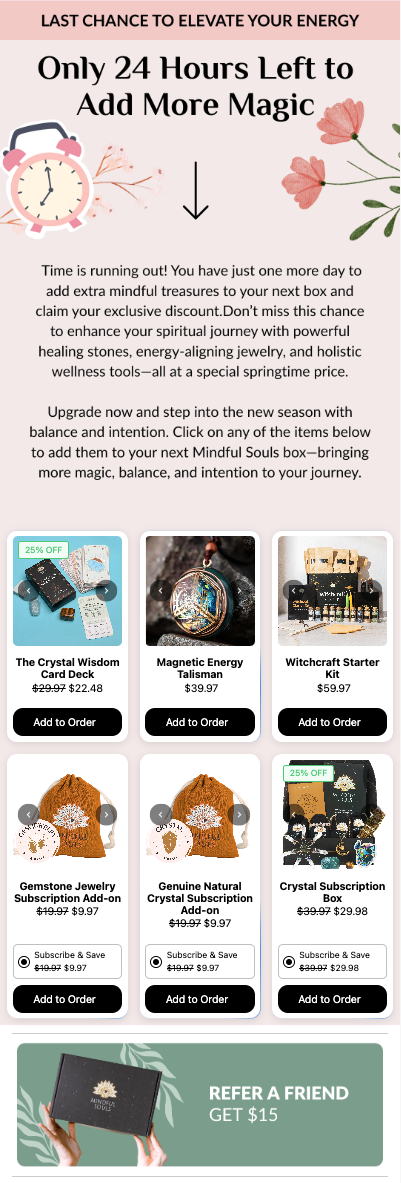 | Make Zaymo the first and primary CTA for customers, and try to keep blocks above the fold Discounts dramatically increase uptake on promotional campaigns |
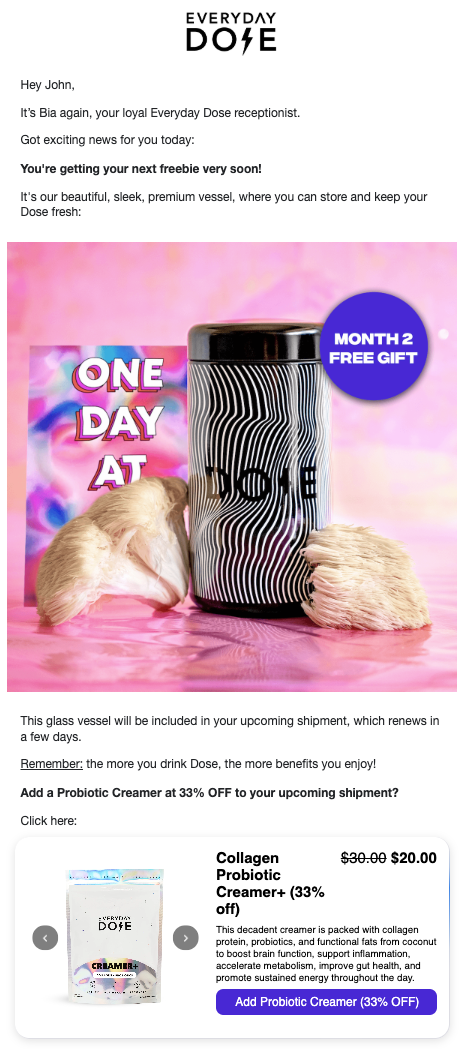 | Discounts can be highlighted in the CTA to make them even more apparent |